
Remove a CART Account on LansingMIPay
CART accounts linked to your profile will be shown on your dashboard. If you want to remove an account from your LansingMIPay profile, follow the steps below:
-
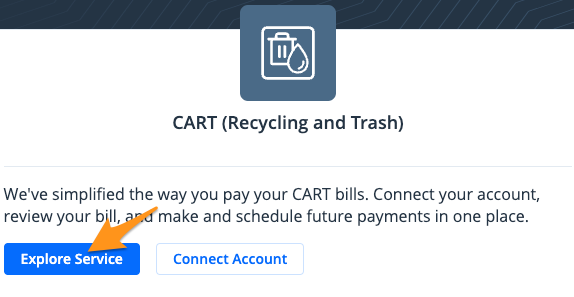
Click Explore Service in the "CART (Recycling and Trash)" section
-
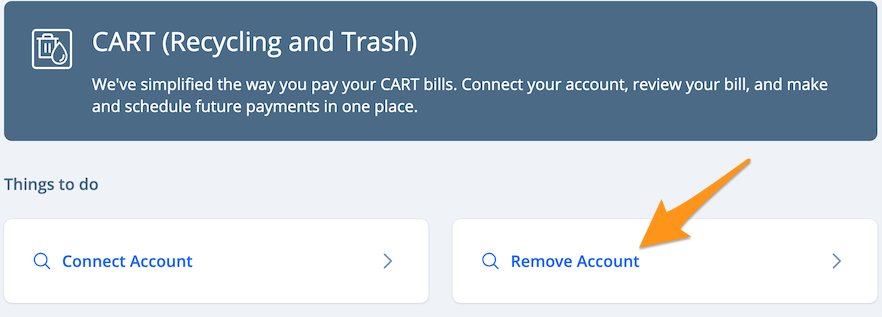
Click Remove Account
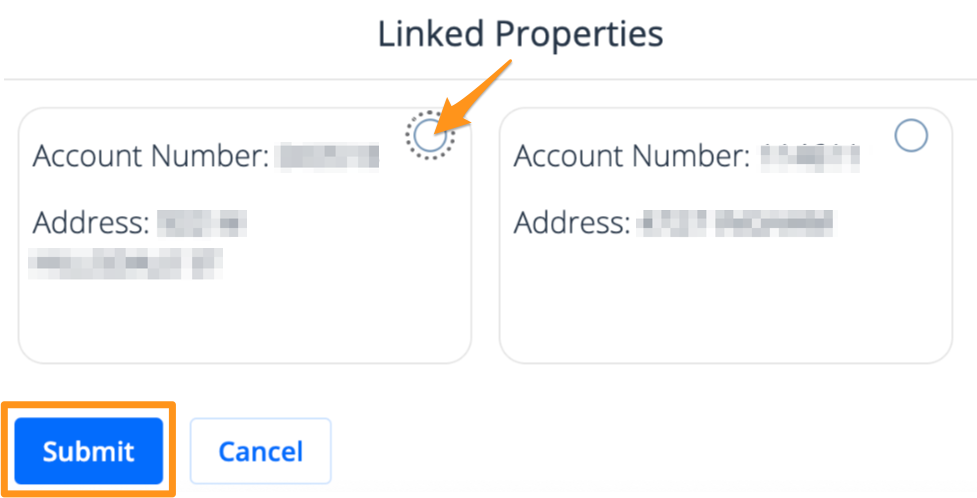
- Select the account you wish to remove and click Submit
- Click Yes, unlink to confirm

Your CART account is now unlinked from your LansingMIPay profile. You will no longer receive email notifications or bill reminders for this property.