
Change AutoPay Payment Method on LansingMIPay
Follow the directions below to change the payment method for your CART account enrolled in AutoPay through LansingMIPay:
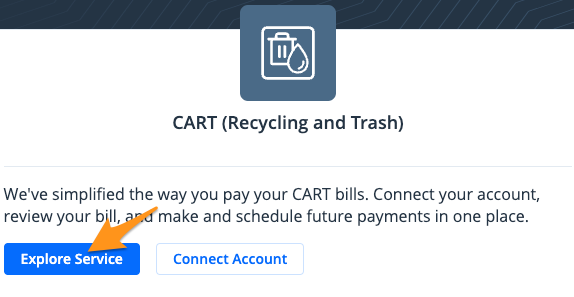
- Sign in to your LansingMIPay profile and select Explore Service under "CART (Recycling and Trash)"
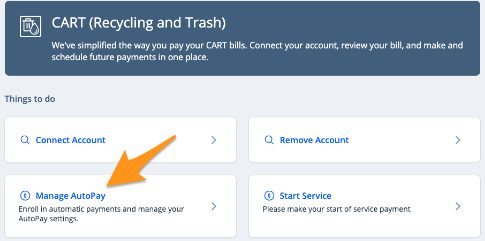
- Select Manage AutoPay
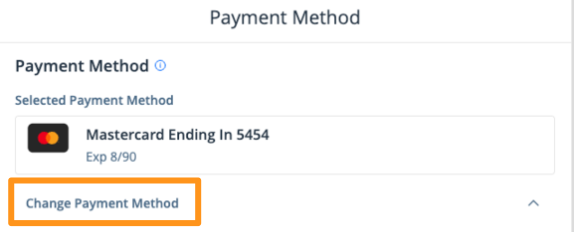
- Select Change Payment Method

- Click Submit
Note: If you have multiple enrolled accounts, you will be prompted to select the account you wish to make the change for, then click Submit.
- Click Change Payment Method to select a different payment method from your profile or to add a new payment method
- Click Submit

Your AutoPay payment method has now been updated and you will receive an email confirmation.